


If you are a new student and are attempting to log into Blackboard the first time, please note that students will gain access to Blackboard Learn LMS within one week of the start of the semester. This means you may receive an error message if you attempt to access Blackboard Learn before August 10, 2026 for the Fall 2026 Term.
To log into Blackboard, follow these steps:
-
Once the scheduled date for your account to be created arrives, go to Blackboard (https://elearn.concord.edu).
-
Enter your MyCU username and password and select "Sign In." If you've already authenticated with Office365 you'll automatically be logged into Blackboard. If not, you'll need to enter your single sign-on username and password.
-
If you receive an error message, your account or single sign on application may not have been completed/created yet. Follow suggestions provided below for assistance.
Technology Requirements, Skills Needed, and Technical Support
If you are having technical trouble with your Blackboard account or your courses, the following resources may be helpful.
Technology Requirements and Skills Needed - for Blackboard Learn Access requirements
Technology Services and Technical Support - for submitting a ticket to get assistance
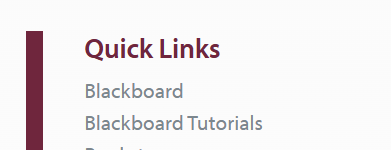
Blackboard can also be accessed by visiting the concord.edu website and selecting the "Students" menu option on the top right. A Blackboard login link can then be found on the right under "Quick Links."
Additionally, students can log into the MyCU portal and search "Blackboard Login" in the search field for a direct route to access their Blackboard Courses.

