


Instructions on how to connect to the VPN on a domain-joined computer.

Jan 29, 2026
 205
205
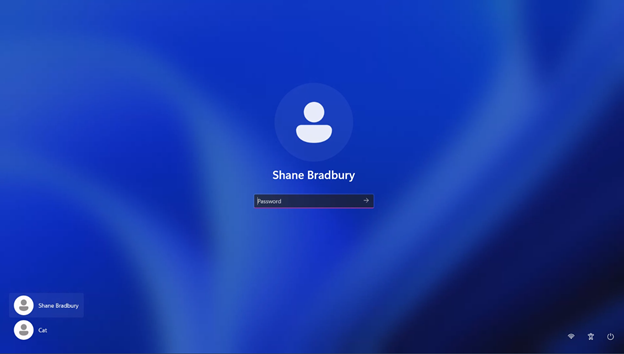
If you are not sure if your laptop is domain-joined or not. Here is an image to determine the difference.
In the image below, you will see: Your Name and Cat. That is a non-domain-joined laptop.
In the image below, this is a domain-joined laptop.
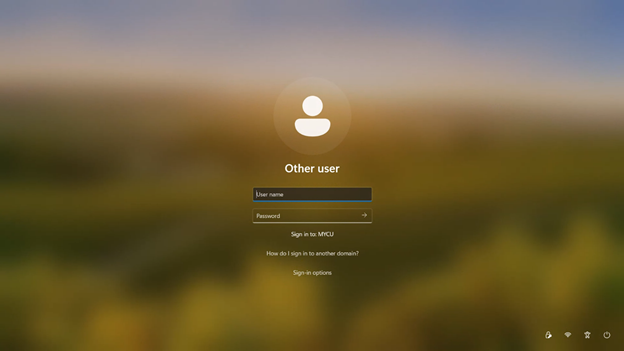
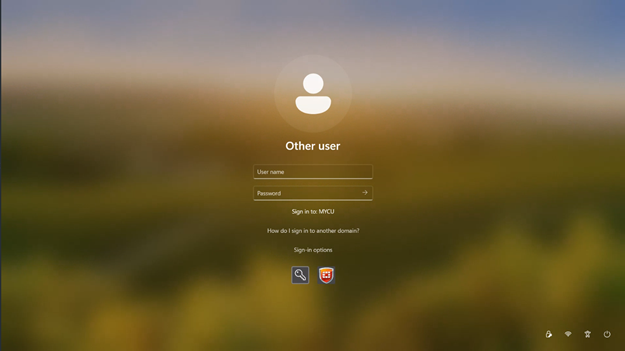
Normally, when you are on campus, you will just log in. However, when you are off campus, you will need to click Sign-in Options,
then click the orange shield as indicated below. (REMEMBER: Please ensure that you are connected to your home internet connection before you start this process.)
After clicking the orange shield, you will log in normally.
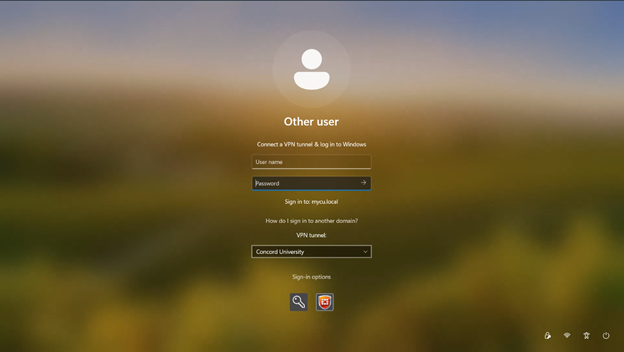
Then you are all set.
However, if you run into any issues, please give us a call at 304-384-5291 or email us at [email protected].

